
Appearance
Points Management
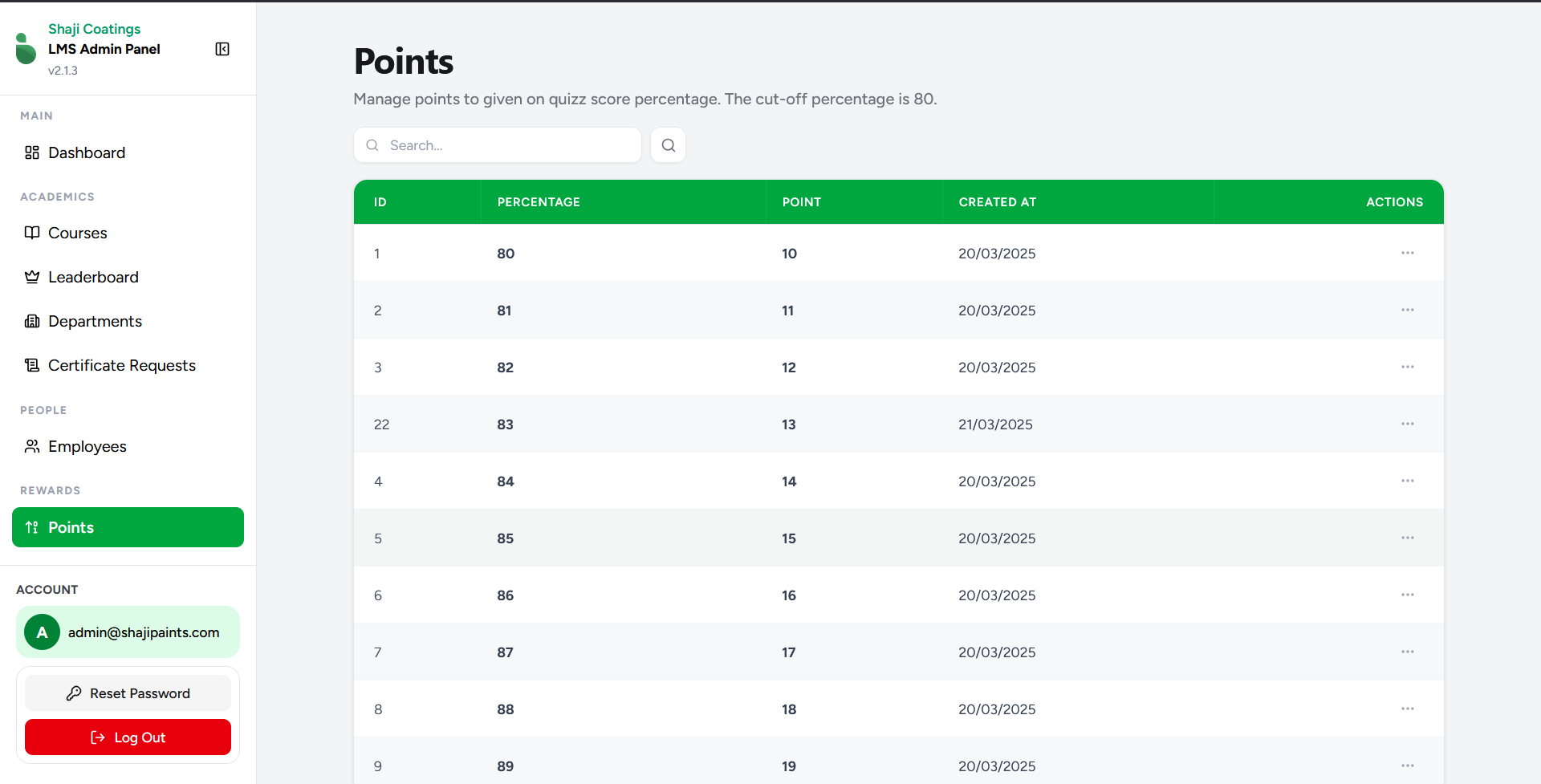
The Points screen allows administrators to configure the reward system for employees based on their quiz performance. It defines the mapping between the percentage an employee scores on a quiz and the corresponding reward points they earn.
Overview
To ensure a high standard of learning, the system enforces a cut-off score of 80%. Employees must achieve at least an 80% on a given quiz to be eligible for reward points.
From this screen, administrators can define and manage the specific point values assigned to every possible passing score, ranging from the 80% minimum up to a perfect 100%.
Key Features
- Search Functionality: Use the search bar located above the table to quickly locate specific point configurations or percentages.
- Data Overview: The central table provides a detailed view of the current points structure, displaying the following information:
- ID: The system's unique identifier for the record.
- Percentage: The specific quiz score being targeted (e.g., 80, 81, 82).
- Point: The exact number of reward points awarded to the employee for hitting that percentage.
- Created At: The date when the mapping was originally established.
- Actions: Access configuration options for individual rows.
- Modify Point Values: You can adjust the points awarded for any passing grade. Click the actions menu (represented by the
...icon) in the corresponding row to edit the designated point value. - Pagination Controls: Located at the bottom of the screen, these controls allow administrators to navigate through multiple pages of points and adjust the number of rows displayed per page for easier viewing.
- Restricted Deletion: To maintain the integrity of the reward system and ensure a complete mapping for all passing grades between 80% and 100%, the option to delete these percentage records is disabled.